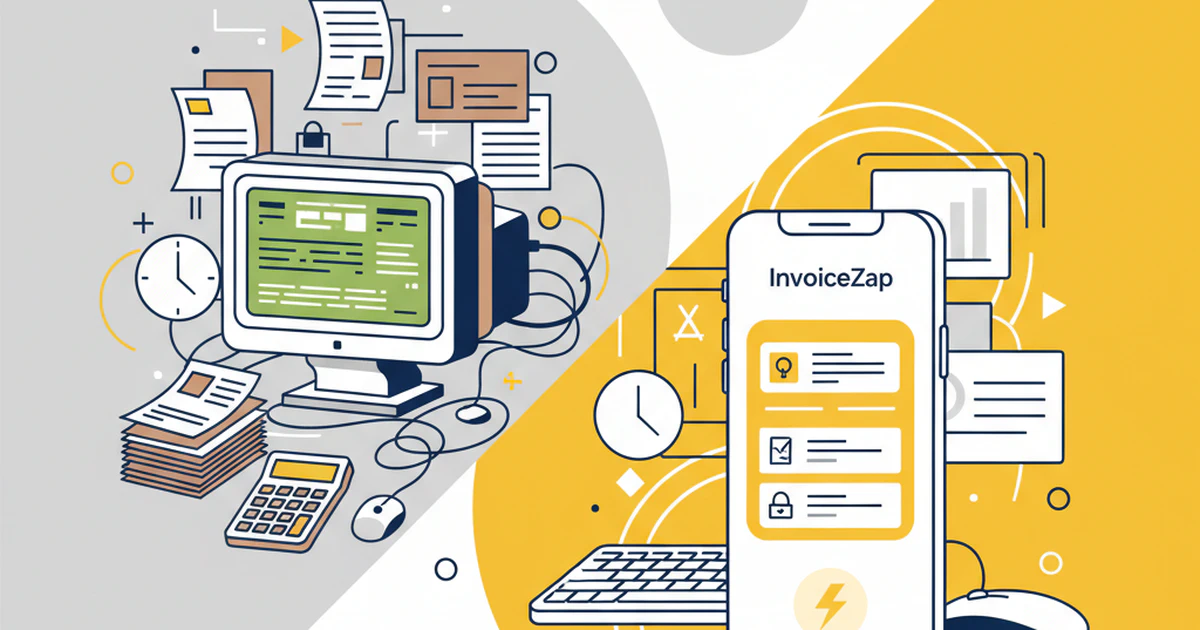
Picture this: You finish a client meeting, shake hands on the project details, and while still sitting in their office, you create and send a professional invoice with clear payment instructions they can follow.
Compare that to the old way: Drive back to your office, boot up your computer, navigate through complex desktop software, create the invoice, email a PDF, and hope they remember to pay it when they get back to their computer. (If you’re weighing up the difference, see our detailed InvoiceZap vs QuickBooks comparison.)
The shift is dramatic: Most small business owners now handle a significant share of their daily operations from their phone. Yet most invoicing software was built for a desktop-first world that no longer exists.
The mobile invoicing revolution isn’t coming—it’s here. And businesses that embrace mobile-first workflows are getting paid faster, serving clients better, and running more efficient operations than their desktop-dependent competitors.
The Old Desktop Paradigm vs. Mobile Reality
How We Actually Work in 2025
The Mobile-First Business Reality:
- The vast majority of business communications now happen on mobile devices
- Most client meetings include immediate follow-up actions
- The majority of service businesses complete work outside their office
- Nearly all entrepreneurs check their phone within minutes of waking up
Traditional Desktop Workflow:
- Meet with client → 2. Return to office → 3. Boot computer → 4. Open software → 5. Recreate conversation details → 6. Create invoice → 7. Email PDF → 8. Hope client remembers to pay
Mobile-First Workflow:
- Meet with client → 2. Create and send invoice on phone → 3. Client pays immediately → 4. Done
The Speed Advantage
Desktop Invoice Creation:
- Average time: 12-18 minutes
- Location requirement: Office/computer access
- Context loss: Recreating meeting details later
- Payment delay: PDF sent to client’s email for later processing
Mobile Invoice Creation:
- Average time: 30 seconds
- Location requirement: Anywhere with phone signal
- Context retention: Created while meeting details are fresh
- Payment acceleration: Instant payment capability
Real Impact: Businesses using mobile-first invoicing consistently report significantly faster payment times and far less time spent on administrative tasks.
Why iPhone Apps Excel at Invoicing
1. Designed for Instant Action
Desktop Software Philosophy:
- Built for comprehensive sessions at a desk
- Multiple windows and complex navigation
- Designed around file management and storage
- Optimized for extensive data entry
iPhone App Philosophy:
- Built for quick, focused tasks
- Single-screen clarity and purpose
- Designed around immediate actions
- Optimized for touch and rapid completion
2. Superior User Experience Design
Desktop Invoice Software:
Typical Desktop Workflow:
1. Launch application (30-60 seconds)
2. Wait for sync/load (15-30 seconds)
3. Navigate to invoice section (clicks)
4. Create new invoice (form filling)
5. Add customer (database search)
6. Add line items (multiple fields)
7. Calculate totals (automatic)
8. Preview and adjust (formatting)
9. Save and send (email setup)
Total: 12-18 minutes
InvoiceZap Mobile Workflow:
Mobile Workflow:
1. Tap app icon (instant)
2. Tap "New Invoice" (immediate)
3. Select/add customer (touch-optimized)
4. Add services (pre-saved templates)
5. Tap "Send" (immediate delivery)
Total: 30 seconds
3. Context Preservation
The Desktop Problem:
- Details forgotten between meeting and office return
- Email addresses misremembered
- Service specifics become vague
- Client enthusiasm cools during delay
The Mobile Solution:
- Invoice created while conversation is fresh
- Contact information immediately available
- Service details accurately captured
- Client commitment maintained through immediate action
InvoiceZap takes advantage of iPhone’s contact integration, allowing you to select clients directly from your phone’s contacts and pre-fill invoice information automatically.
Native iOS Integration: The Game Changer
Beyond Basic Mobile Apps
Most “mobile” invoicing apps are simply shrunk-down desktop interfaces. True iOS integration goes much deeper:
Siri Integration (iOS Shortcuts)
Voice Invoice Creation: With iOS Shortcuts, you can set up voice commands like: “Hey Siri, create an invoice”
- Opens InvoiceZap directly to new invoice
- Start creating immediately with your most recent client
- Total creation time still under 30 seconds
Quick Access via Home Screen
Instant Invoice Access:
- Add InvoiceZap to your Home Screen dock for one-tap access
- Use iOS Quick Actions (long-press app icon) to jump straight to new invoice
- No searching through app folders or hunting for icons
Payment Status Tracking
Professional Payment Management:
- Clear payment instructions included
- Manual status tracking when paid
- Professional payment confirmation
- Organized payment history
Contact Integration
Seamless Client Management:
- Access full contact database instantly
- Automatic address and phone number filling
- Integration with recent communications
- No duplicate data entry required
Calendar Integration
Service Date Automation:
- Link invoices to calendar appointments
- Automatic service date population
- Client meeting context preservation
- Appointment-based invoice triggers
The Business Impact of Mobile-First Invoicing
Cash Flow Acceleration
Traditional Desktop Invoice Path:
- Service completed
- Return to office (hours/days later)
- Create invoice (15+ minutes)
- Email PDF to client
- Client receives email (maybe)
- Client downloads PDF (if remembered)
- Client processes payment (days/weeks later)
Average payment time: 23-35 days
Mobile-First Invoice Path:
- Service completed
- Create invoice on phone (30 seconds)
- Send invoice with payment instructions
- Track payment status manually when received
- Payment confirmed instantly
Average payment time: 2-8 days
Client Experience Transformation
Desktop-Created Invoice Experience:
- Client receives generic PDF via email
- Small text difficult to read on phone
- Payment requires separate login/system
- Feels impersonal and disconnected from service
Mobile-Optimized Invoice Experience:
- Client receives mobile-friendly invoice
- Large, readable text and buttons
- One-tap payment options
- Feels seamless and professional
Operational Efficiency Gains
Time Savings Breakdown:
- Invoice creation: Dramatically faster (minutes instead of 15+ minutes)
- Payment collection: Significantly faster (immediate delivery vs. delayed follow-up)
- Client communication: Near-instant instead of delayed
- Administrative overhead: Substantially reduced
Annual Impact for Typical Freelancer:
- Time saved: Dozens of hours reclaimed annually
- Cash flow improvement: Noticeably faster payment cycles
- Client satisfaction increase: Measurable in retention rates
- Business growth capability: More time for revenue-generating work
Common Mobile Invoicing Concerns (Debunked)
Concern #1: “Mobile screens are too small for complex invoicing”
Reality: Modern invoice creation doesn’t require complex interfaces. Mobile apps excel at guided, step-by-step processes that are actually clearer than desktop alternatives.
Solution: Smart app design with:
- Progressive disclosure (show only what’s needed)
- Large, touch-friendly buttons
- Auto-completion and templates
- Simplified workflows optimized for mobile
Concern #2: “I need desktop software for detailed financial management”
Reality: Most small businesses need invoicing, not comprehensive accounting. Mobile apps handle the vast majority of invoicing needs more efficiently than desktop software.
Solution: Use mobile for invoicing, desktop for accounting if needed. Many businesses find mobile invoicing eliminates the need for complex software entirely.
Concern #3: “Mobile apps aren’t professional enough”
Reality: Professional appearance depends on design quality, not platform. Well-designed mobile invoices often look more modern and professional than desktop-generated PDFs.
Solution: Choose mobile apps with:
- Professional template designs — browse our invoice templates for examples
- Custom branding capabilities
- High-quality PDF generation
- Polished client experience
Concern #4: “What about offline access?”
Reality: Modern mobile apps handle offline scenarios better than desktop software, which often requires constant internet connectivity.
Solution: Look for mobile apps with:
- Full offline invoice creation
- Automatic sync when connection returns
- Local data storage and backup
- Seamless online/offline transitions
Industry-Specific Mobile Advantages
Service Professionals (Cleaners, Handymen, Landscapers)
Mobile Advantage: Create invoices on-site immediately after service completion Client Benefit: Immediate payment option while quality is fresh in mind Business Impact: Reduced payment delays, improved cash flow
Creative Professionals (Designers, Photographers, Consultants)
Mobile Advantage: Invoice during client meetings while discussing project scope Client Benefit: Immediate project commitment and clear payment instructions Business Impact: Higher project conversion rates, faster project kickoff
Field Service Businesses (HVAC, Electrical, Plumbing)
Mobile Advantage: Complete invoicing in client’s home/business — see our field service mobile invoicing guide for a deeper dive Client Benefit: Transparent pricing and immediate payment resolution Business Impact: Reduced administrative overhead, improved customer satisfaction
The Technology Infrastructure Behind Mobile Success
Cloud-First Architecture
Mobile apps built cloud-first offer:
- Instant sync across devices
- Real-time backup and security
- Automatic updates and improvements
- Seamless collaboration capabilities
Mobile-Optimized Payment Tracking
Advanced payment management includes:
- Multiple payment method instructions
- Manual payment tracking
- Professional status updates
- Organized payment history
Smart Automation Features
Mobile-specific automation:
- GPS-based client matching
- Automatic tax calculations
- Smart invoice numbering
- Predictive text and templates
Making the Transition: From Desktop to Mobile
Phase 1: Parallel Operation (Week 1-2)
- Download mobile invoicing app
- Create a few test invoices
- Compare quality with desktop versions
- Test client response to mobile invoices
Phase 2: Field Testing (Week 3-4)
- Use mobile invoicing for on-site services
- Time the creation process vs. desktop
- Measure client payment response times
- Refine your mobile workflow
Phase 3: Full Mobile Implementation (Week 5+)
- Switch entirely to mobile invoicing
- Archive or cancel desktop software
- Train team on mobile processes
- Optimize templates and automation
Migration Checklist
- ✅ Export client data from desktop software
- ✅ Set up mobile app with business information
- ✅ Create invoice templates for common services
- ✅ Test payment tracking and status updates
- ✅ Inform clients about new professional invoicing system
What’s Next for Mobile Invoicing
Mobile invoicing continues to evolve. AI-powered features like voice-to-invoice conversion and automatic service categorization are already beginning to appear, and deeper device integration will make on-the-go billing even more seamless in the years ahead.
The ROI of Mobile-First Invoicing
Quantifiable Benefits
Time Savings:
- Invoice creation: Minutes instead of 15+ minutes per invoice
- Follow-up communications: Largely automated instead of manual
- Payment tracking: Instant status visibility instead of manual checks
Cash Flow Improvement:
- Payment times drop significantly when invoices arrive immediately
- Late payment rates decrease when clients can pay right away
- More predictable revenue with faster collection cycles
Business Growth:
- Substantially less time spent on admin tasks each week
- Client satisfaction increase: Measurable in repeat business
- Competitive advantage: Professional mobile experience
- Scalability: Mobile processes scale with business growth
Choosing the Right Mobile Invoicing Solution
Not sure which app to pick? Our best invoice apps for freelancers roundup compares the top options side by side.
Essential Features for Mobile Success
Core Functionality:
- 30-second invoice creation
- Professional template customization
- Multiple payment method support
- Offline capability with auto-sync
iOS-Specific Features:
- iOS Shortcuts support for voice commands
- Quick Actions from Home Screen
- Payment status management
- Contact and calendar integration
Business Intelligence:
- Payment tracking and analytics
- Client communication history
- Revenue reporting and trends
- Tax preparation assistance
The Mobile Invoicing Revolution Is Here
The transition from desktop to mobile invoicing isn’t just a technology upgrade—it’s a fundamental shift in how modern businesses operate. Companies that embrace mobile-first workflows enjoy:
- Faster payments through immediate invoice delivery and clear payment instructions
- Better client relationships through professional, convenient interactions
- Operational efficiency through streamlined, automated processes
- Competitive advantage through modern, professional service delivery
The question isn’t whether to make the switch—it’s how quickly you can implement mobile-first invoicing to transform your business operations.
Ready to join the mobile invoicing revolution? Download InvoiceZap and experience the power of true mobile-first invoicing. Create professional invoices in under 30 seconds, get paid faster, and run your business from anywhere with the most advanced iPhone invoicing app available.
The future of business is mobile. Your invoicing should be too. Start your mobile transformation today and see why thousands of professionals have already made the switch from desktop complexity to mobile simplicity.
Frequently Asked Questions
Can I create invoices on my iPhone without internet access?
Yes. Many modern mobile invoicing apps, including InvoiceZap, let you create and save invoices while fully offline. Your data is stored locally on the device and automatically syncs to the cloud once you reconnect, so you never lose work even in areas with spotty reception.
Are mobile invoice apps secure enough for business use?
Absolutely. Reputable mobile invoicing apps use the same encryption standards as online banking. On iPhone, you also benefit from built-in protections like Face ID, the Secure Enclave, and App Store review requirements—layers of security that most desktop software simply doesn’t offer.
How do mobile invoice apps compare to desktop software in speed?
Mobile apps are dramatically faster for day-to-day invoicing. With InvoiceZap, for example, you can create and send a professional invoice in about 30 seconds thanks to pre-saved templates, contact integration, and a touch-optimized interface. Desktop software typically takes 12–18 minutes for the same task once you factor in booting up, navigating menus, and emailing a PDF.
Can mobile invoice apps handle multiple currencies?
Yes. Most professional-grade mobile invoicing apps support multiple currencies, allowing you to invoice international clients in their preferred currency. InvoiceZap includes multi-currency support so freelancers and businesses with global clients can bill accurately without manual conversion.
Related Resources
Ready to Streamline Your Invoicing?
Create professional invoices in 30 seconds with InvoiceZap's mobile-first design. No sign-up required.
Try InvoiceZap FreeTags: