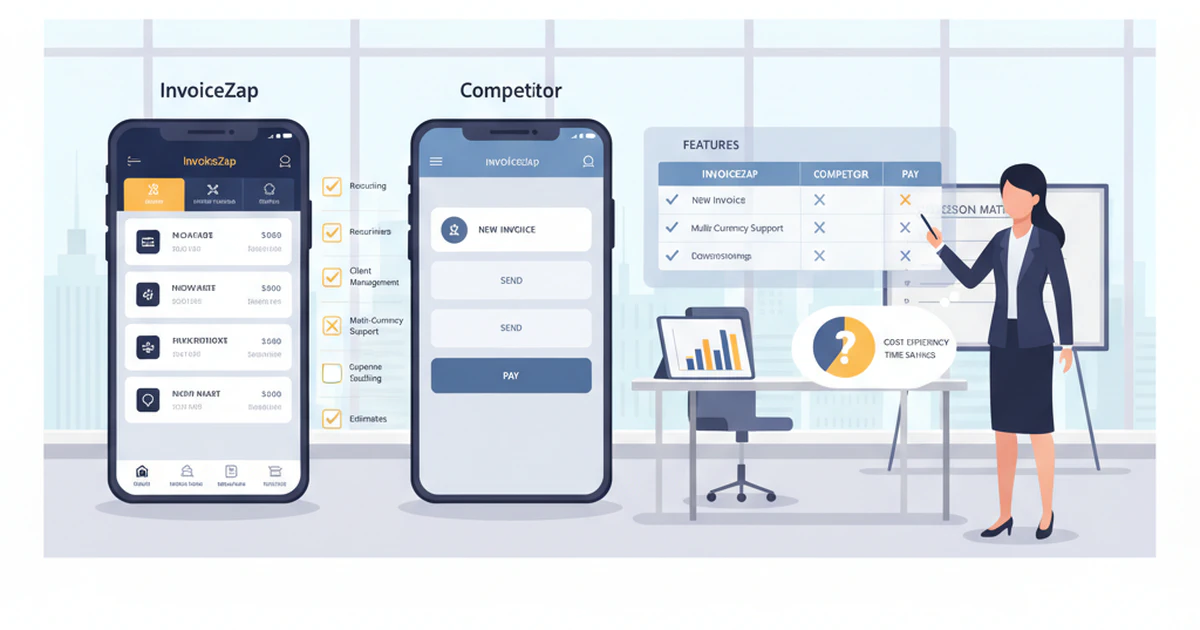
Maria runs a growing consulting practice. She’d been using basic invoicing methods for months – sometimes Word documents, sometimes simple templates – but her business growth demanded something more professional. She needed real invoicing software.
After research, Maria narrowed her choices to two popular options: InvoiceZap and Invoice Simple. Both had good reviews, reasonable pricing, and seemed designed for small businesses like hers. But which would actually work better for her specific needs?
Maria spent two weeks testing both apps extensively. She created test invoices, explored the mobile capabilities, tested payment processing, and evaluated how each handled her consulting workflow. The results surprised her.
While both apps could handle basic invoicing, the differences in mobile optimization, feature depth, and business growth support were significant enough to clearly influence her decision.
Here’s Maria’s complete comparison – updated for 2025 – to help you choose between InvoiceZap and Invoice Simple based on real-world usage and business needs.
Quick Comparison Overview
Before diving into detailed features, here’s the high-level comparison:
InvoiceZap
- Best for: Mobile-first professionals, service providers, growing businesses
- Strengths: Native mobile design, offline capabilities, professional templates
- Pricing: 3-day free trial, $9.99/month subscription
- Platform: iOS-first with mobile optimization focus
Invoice Simple
- Best for: Basic invoicing needs, budget-conscious users, simple workflows
- Strengths: Web-based flexibility, basic feature set, lower cost options
- Pricing: Free plan available, paid plans start at $4.99/month
- Platform: Web-based with mobile web access
Let’s examine each category in detail.
Mobile Experience and Usability
InvoiceZap Mobile Experience
Native iOS Design:
- Built specifically for iPhone and iPad from the ground up
- Follows Apple’s Human Interface Guidelines for familiar navigation
- Touch-optimized interface designed for thumb navigation
- Native iOS features like 3D Touch, Shortcuts, and Siri integration
Offline Capabilities:
- Create and edit invoices without internet connection
- Automatic sync when connectivity returns
- Never lose work due to poor signal or connectivity issues
- Continue working during travel or in areas with limited internet
Mobile-First Features:
- Camera integration for adding photos to invoices
- GPS location tagging for service documentation
- Apple Pay integration for easy payment processing
- Native sharing through iOS share sheet
Real-World Mobile Usage: Maria tested creating invoices while traveling to client sites. With InvoiceZap, she could create complete invoices in her car between meetings, add photos of completed work, and send them immediately upon connectivity return. The native iOS design made everything feel intuitive and fast.
Invoice Simple Mobile Experience
Mobile Web Interface:
- Responsive web design that adapts to mobile screens
- Access through mobile browser (Safari, Chrome)
- Limited offline functionality (basic caching only)
- Requires internet connection for most operations
Mobile Limitations:
- Less intuitive touch navigation compared to native apps
- Zoom required for some interface elements
- Limited camera integration for photos
- No native mobile features or integrations
Browser Dependencies:
- Performance varies by mobile browser
- Occasional layout issues on smaller screens
- Limited access to device features (camera, GPS, etc.)
- Potential data loss if browser crashes or closes
Real-World Mobile Testing: When Maria tested Invoice Simple on mobile, she found the web interface functional but less smooth than InvoiceZap. Creating invoices required more scrolling and zooming. Adding photos was more complicated, and she lost work twice when Safari reloaded the page during multitasking.
Winner: InvoiceZap - The native mobile experience is significantly better for professionals who work on-the-go.
Invoice Creation and Templates
InvoiceZap Templates and Customization
Professional Template Library:
- Industry-specific templates (consulting, trades, creative services)
- Modern, professional design that reflects well on your business
- Customizable color schemes and branding elements
- Mobile-optimized layout for all template designs
Template Features:
- Automatic calculation of taxes, discounts, and totals
- Multiple currency support with real-time conversion
- Flexible line item organization with descriptions
- Custom fields for industry-specific information
Branding Capabilities:
- Logo upload and positioning
- Custom color schemes matching your brand
- Professional typography choices
- Consistent branding across all invoices
Ease of Creation: Maria found InvoiceZap’s templates immediately usable. The consulting template included fields relevant to her work, calculations were automatic, and the final invoices looked professional enough to send to corporate clients without any customization.
Invoice Simple Templates and Design
Basic Template Options:
- Limited selection of generic templates
- Simple, functional design with basic styling
- Limited customization options
- Basic color and font choices
Template Functionality:
- Standard invoice calculations (subtotal, tax, total)
- Basic line item entry
- Limited custom field options
- Standard business information fields
Design Limitations:
- Templates look more basic/generic
- Limited branding customization
- Less professional appearance overall
- Minimal mobile optimization in design
Creation Experience: Invoice Simple’s templates were functional but felt dated compared to InvoiceZap. Maria could create invoices quickly, but they lacked the professional polish her corporate clients expected. Customization options were limited, making it harder to match her brand identity.
Winner: InvoiceZap - More professional templates with better customization and mobile optimization.
Payment Processing and Integration
InvoiceZap Payment Features
Integrated Payment Processing:
- Apple Pay integration for instant mobile payments
- Credit card processing through secure payment partners
- Bank transfer initiation and tracking
- Multiple payment method support
Payment Experience:
- One-tap payment processing for clients
- Automatic payment status updates
- Payment reminder automation
- Integration with accounting workflows
Client Payment Experience:
- Mobile-optimized payment pages
- Secure payment processing with industry standard encryption
- Instant payment confirmation
- Multiple payment options for client convenience
Invoice Simple Payment Options
Basic Payment Integration:
- PayPal integration available
- Limited credit card processing options
- Basic payment tracking
- Manual payment status updates
Payment Limitations:
- Fewer integrated payment options
- Less mobile-optimized payment experience
- Limited automation for payment reminders
- Basic payment reporting and tracking
Client Experience:
- Standard web-based payment forms
- Limited mobile optimization for payments
- Basic payment confirmation process
- Fewer payment method choices
Winner: InvoiceZap - Better payment integration and mobile-optimized payment experience.
Business Management Features
InvoiceZap Business Tools
Client Management:
- Comprehensive client database with contact information
- Project tracking and history
- Client communication logging
- Relationship management features
Reporting and Analytics:
- Revenue tracking and business performance metrics
- Payment timing analysis
- Client profitability reporting
- Tax reporting and preparation assistance
Automation Features:
- Recurring invoice automation
- Payment reminder sequences
- Follow-up scheduling
- Workflow automation
Invoice Simple Business Features
Basic Business Management:
- Simple client contact management
- Basic invoice history tracking
- Limited reporting capabilities
- Manual workflow management
Reporting Limitations:
- Basic revenue reporting
- Limited analytics and insights
- Manual tracking for most business metrics
- Minimal automation features
Growth Support:
- Suitable for basic invoicing needs
- Limited scalability for growing businesses
- Manual processes for most advanced features
- Basic business intelligence
Winner: InvoiceZap - More comprehensive business management and growth support features.
Pricing and Value Comparison
InvoiceZap Pricing Structure
Subscription Model:
- 3-day free trial (full feature access)
- $9.99/month subscription after trial
- No additional transaction fees
- All features included in single plan
Value Analysis:
- Higher monthly cost but includes all premium features
- No per-transaction fees saves money for active users
- Professional templates and mobile experience justify premium
- Comprehensive feature set reduces need for additional tools
Cost for Different Usage Levels:
- Low volume (1-5 invoices/month): $9.99/month
- Medium volume (10-20 invoices/month): $9.99/month
- High volume (50+ invoices/month): $9.99/month
- Break-even point: ~5 invoices per month vs. Invoice Simple paid plans
Invoice Simple Pricing Options
Tiered Pricing:
- Free plan: Limited features, Invoice Simple branding
- Basic plan: $4.99/month (remove branding, basic features)
- Premium plan: $9.99/month (advanced features)
- Transaction fees on some payment processing
Free Plan Limitations:
- Invoice Simple branding on all invoices
- Limited template customization
- Basic features only
- Limited customer support
Paid Plan Value:
- Lower entry cost with basic plan
- Gradual feature upgrade path
- Additional costs for payment processing
- Less comprehensive feature set overall
Winner: Depends on Usage - Invoice Simple better for very light usage, InvoiceZap better value for regular business use.
Customer Support and Resources
InvoiceZap Support
Support Channels:
- In-app support with direct contact
- Email support with business-day response
- Knowledge base with tutorials and guides
- Community forum for user questions
Support Quality:
- Responsive customer service
- Business-focused support team
- Mobile-specific guidance and troubleshooting
- Regular app updates and feature improvements
Invoice Simple Support
Support Options:
- Email support (varies by plan level)
- Basic knowledge base
- Limited tutorial resources
- Community forum
Support Limitations:
- Slower response times
- Less comprehensive support resources
- Limited mobile-specific guidance
- Basic troubleshooting assistance
Winner: InvoiceZap - More comprehensive and responsive customer support.
Real-World Usage Scenarios
Scenario 1: Mobile Service Professional
Maria’s Consulting Business:
- Needs to create invoices on-site at client locations
- Requires professional-looking invoices for corporate clients
- Works in areas with spotty internet connectivity
- Values efficient mobile workflow
Best Choice: InvoiceZap
- Native mobile design perfect for on-site work
- Offline capability ensures no lost productivity
- Professional templates match corporate client expectations
- Mobile-first features streamline workflow
Scenario 2: Home-Based Freelancer
Small-Scale Freelance Work:
- 2-3 invoices per month
- Budget-conscious approach
- Works primarily from home office
- Basic invoicing needs
Best Choice: Invoice Simple
- Lower cost for light usage
- Web-based access from desktop
- Basic features sufficient for simple needs
- Free plan option for very light use
Scenario 3: Growing Service Business
Expanding Contracting Business:
- 15-20 invoices per month
- Mix of mobile and office work
- Needs professional presentation
- Plans for business growth
Best Choice: InvoiceZap
- Comprehensive features support business growth
- Mobile capability essential for field work
- Professional templates enhance business image
- Business management features support expansion
Scenario 4: Part-Time Side Business
Weekend Service Provider:
- 5-8 invoices per month
- Limited time for invoice management
- Needs simple, efficient process
- Budget considerations important
Best Choice: Depends on Priorities
- If mobile work: InvoiceZap for efficiency
- If budget primary concern: Invoice Simple basic plan
- If professional image important: InvoiceZap
- If desktop-only work: Invoice Simple sufficient
Feature Comparison Chart
| Feature Category | InvoiceZap | Invoice Simple |
|---|---|---|
| Mobile Experience | ⭐⭐⭐⭐⭐ Native iOS | ⭐⭐⭐ Mobile web |
| Offline Capability | ⭐⭐⭐⭐⭐ Full offline | ⭐⭐ Limited cache |
| Template Quality | ⭐⭐⭐⭐⭐ Professional | ⭐⭐⭐ Basic designs |
| Payment Integration | ⭐⭐⭐⭐⭐ Apple Pay + more | ⭐⭐⭐ PayPal + basic |
| Business Management | ⭐⭐⭐⭐⭐ Comprehensive | ⭐⭐⭐ Basic tools |
| Customization | ⭐⭐⭐⭐⭐ Extensive options | ⭐⭐⭐ Limited options |
| Pricing Value | ⭐⭐⭐⭐ Premium pricing | ⭐⭐⭐⭐⭐ Budget-friendly |
| Customer Support | ⭐⭐⭐⭐⭐ Responsive | ⭐⭐⭐ Basic support |
| Ease of Use | ⭐⭐⭐⭐⭐ Intuitive mobile | ⭐⭐⭐⭐ Simple web |
| Professional Appearance | ⭐⭐⭐⭐⭐ High-end design | ⭐⭐⭐ Functional design |
Decision Framework
Choose InvoiceZap if you:
- Work primarily on mobile devices
- Need professional-looking invoices for corporate clients
- Work in areas with unreliable internet connectivity
- Send 5+ invoices per month regularly
- Value native mobile app experience
- Want comprehensive business management features
- Need offline capability for field work
- Prioritize professional presentation
Choose Invoice Simple if you:
- Send fewer than 5 invoices per month
- Work primarily from a desktop/laptop
- Budget is the primary consideration
- Have very basic invoicing needs
- Don’t require mobile-optimized features
- Prefer web-based tools over mobile apps
- Don’t need advanced business management features
- Are comfortable with basic template designs
Migration Considerations
Switching from Invoice Simple to InvoiceZap
Data Migration:
- Export existing client data from Invoice Simple
- Import contacts into InvoiceZap client database
- Recreate templates with improved design
- Set up payment processing integrations
Workflow Transition:
- Download InvoiceZap app and complete setup
- Test invoice creation with existing client data
- Train team on new mobile workflow
- Gradually transition to mobile-first approach
Switching from InvoiceZap to Invoice Simple
Feature Assessment:
- Evaluate which InvoiceZap features you actually use
- Determine if Invoice Simple meets reduced feature needs
- Plan for loss of mobile-optimized workflow
- Consider impact on professional presentation
Cost-Benefit Analysis:
- Calculate potential monthly savings
- Assess impact of reduced functionality
- Consider client perception of invoice quality
- Evaluate workflow efficiency changes
2025 Market Context
Mobile-First Business Trends
Industry Direction:
- Increasing mobile workforce adoption
- Client expectations for professional presentation
- Remote work driving mobile tool needs
- Efficiency demands favoring native mobile apps
Technology Evolution:
- Native mobile apps outperforming web alternatives
- Offline capability becoming essential
- Integration with mobile payment systems growing
- Professional presentation standards rising
InvoiceZap’s 2025 Positioning
Competitive Advantages:
- Native mobile design ahead of industry trends
- Comprehensive feature set for growing businesses
- Professional templates meeting modern standards
- Integration with latest mobile payment technologies
Growth Trajectory:
- Focused on mobile-first professional market
- Continuous feature development and improvement
- Strong customer support and user satisfaction
- Positioned for business growth support
The Bottom Line
The choice between InvoiceZap and Invoice Simple comes down to your business priorities and working style.
InvoiceZap excels for mobile professionals who need the best possible mobile experience, work on-site with clients, and want invoices that reflect professional quality. The premium pricing is justified by comprehensive features, native mobile design, and superior professional presentation.
Invoice Simple works for budget-conscious users with basic invoicing needs who primarily work from desktop environments and don’t require advanced mobile capabilities. It’s a functional solution for very light usage or businesses just starting with digital invoicing.
For most growing service businesses, freelancers, and mobile professionals, InvoiceZap’s mobile-first design and comprehensive features provide better long-term value despite the higher monthly cost.
Maria’s Decision: After extensive testing, Maria chose InvoiceZap. The native mobile experience, professional templates, and offline capability perfectly matched her consulting workflow. The higher monthly cost was easily justified by the time savings and professional impression with clients.
Ready to experience the InvoiceZap difference? Download InvoiceZap and start your 3-day free trial. See firsthand why mobile professionals choose InvoiceZap for professional invoicing that works the way you do.
Related Comparisons:
Ready to Streamline Your Invoicing?
Create professional invoices in 30 seconds with InvoiceZap's mobile-first design. No sign-up required.
Try InvoiceZap FreeTags: