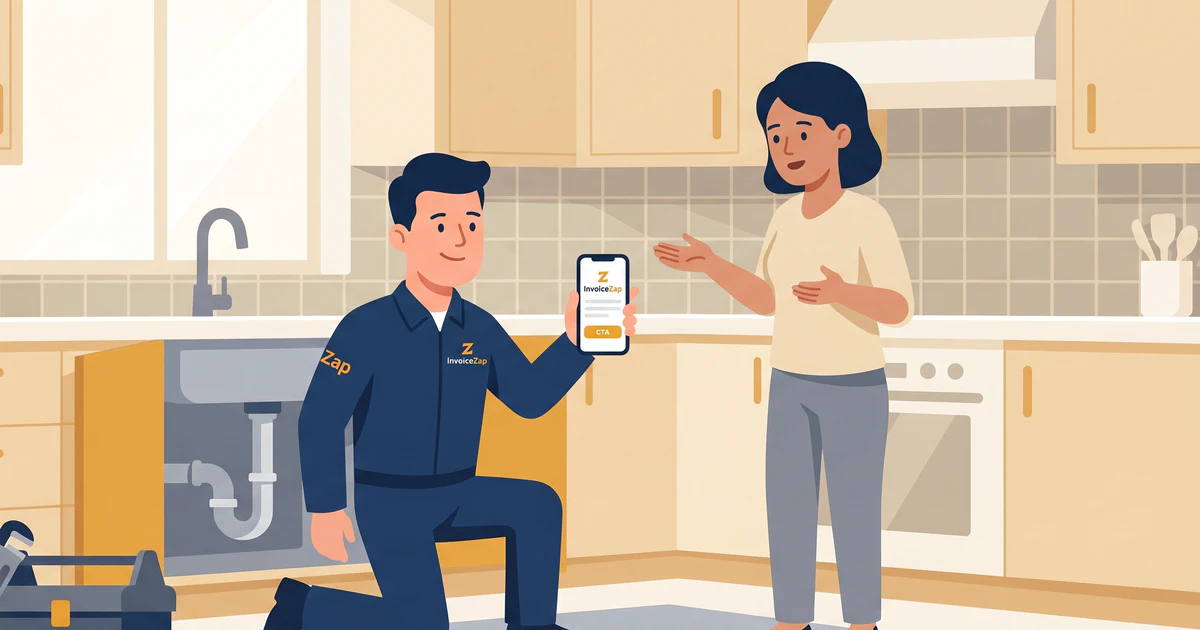
The leak is fixed. You’ve shut off the supply valve, swapped the corroded shutoff, tested the line, and wiped down the cabinet floor so the homeowner can’t tell anything ever went wrong. The customer is relieved and standing right there, wallet practically in hand.
This is the single best moment to get paid — and most plumbers blow it.
Instead of handing over a clean, itemized invoice on the spot, they say “I’ll send the bill over by the end of the week.” Then the invoice gets written up that night (or three nights later), emailed into a crowded inbox, and the payment that felt urgent at the sink now competes with the gas bill and a school permission slip. Two weeks later you’re sending a follow-up email and wondering where your cash flow went.
On-site invoicing fixes this. The right app lets you build a professional, itemized invoice before you’ve packed up your tools — while the customer still remembers exactly how bad that leak was. Here’s what to look for, how the main options stack up, and how to actually run the workflow.
Why On-Site Billing Beats “I’ll Send It Later”
Plumbing is an emergency-driven trade. People call you when water is going somewhere it shouldn’t, and they’re grateful the moment it stops. That gratitude has a shelf life.
The cost of the billing gap
Every hour between finishing a job and sending the invoice is an hour your money sits in someone else’s account. Across a busy month, a plumber doing 6–10 jobs a week who bills “later” is constantly carrying thousands in unbilled or unpaid work. Worse, batched evening invoicing means you’re doing unpaid admin after a 10-hour day — and that’s when mistakes creep in. Wrong part number, forgotten trip charge, a labor line you under-counted because you couldn’t quite remember.
Paper invoices quietly cap your rates
Carbon-copy books are cheap, but a smudged pink slip tells the customer you’re a one-person operation running on the thinnest possible margins. That perception makes it harder to justify premium emergency pricing. A crisp, branded PDF does the opposite — it signals an established business whose rates are not up for negotiation.
On-site billing closes the loop
When you hand someone a clear invoice at the sink, three good things happen at once: they pay immediately or commit to a date, they can ask questions about line items while you’re still there to answer them, and they leave the interaction thinking you’re organized and professional. That last one is what gets you the referral.
For the deeper argument on timing and cash flow, our guide on how mobile invoicing gets you paid faster breaks down the numbers.
What to Look for in a Plumbing Invoice App
Not every “invoicing app” is built for a plumber standing under a sink. Here’s the feature checklist that actually matters in the field.
Speed first. If creating an invoice takes more than a minute, you won’t do it on-site — you’ll default to “later.” The whole point is billing in the time it takes to walk from the job to the front door.
True mobile-first design. Many apps are clunky phone versions of desktop accounting suites. You can spot them instantly: tiny buttons, endless menus, a chart of accounts you have to navigate before you can add a line item. You want an app designed for a phone from the ground up.
Saved item and rate catalogs. You shouldn’t retype “Replace 1/2” Compression Shutoff Valve" or “Emergency After-Hours Trip Charge” on every job. Tap, set the quantity, done.
Professional branded output. Your logo, your colors, a proper PDF. This is what separates a $400 invoice that gets paid from one that gets questioned.
Clear payment instructions. The app should let you spell out exactly how to pay — check payable to whom, bank transfer details, or which apps you accept.
Works offline. Half of plumbing happens in basements and crawlspaces with no signal. The app needs to build the invoice whether or not you have bars.
A quick reality check on what these apps don’t do: most mobile invoicing tools, including the one I recommend below, create and send the invoice document and track payment status manually. They are not payment processors — the customer pays you by check, transfer, or whatever method you list, and you mark it paid. That’s a feature, not a bug: no transaction fees skimming your margin.
The On-Site Apps Compared
Here’s how the realistic options perform on the only metric that matters at the job site — getting a professional invoice into the customer’s hands fast.
Full accounting suites (QuickBooks, FreshBooks)
These are powerful business platforms, and if you need full bookkeeping, payroll, and tax prep, they earn their place at the office. But on a phone, at a job site, they’re overkill. Generating a single invoice means syncing, navigating accounting menus, and waiting — often 5 to 10 minutes of tapping. Most plumbers using these end up doing exactly what we’re trying to avoid: billing from the laptop at night.
Best for: plumbers who already run their whole business through accounting software and don’t mind office-based billing.
Field service management (FSM) platforms
Tools like ServiceTitan or Jobber bundle scheduling, dispatching, CRM, and invoicing into one heavy system. For a multi-truck operation managing a team, that’s genuinely useful. For a solo plumber or a two-person shop, you’re paying a premium monthly fee and learning a complex platform mostly to send a bill.
Best for: larger plumbing companies with dispatchers and multiple crews.
Purpose-built mobile invoicing (InvoiceZap)
This is the category built for the exact problem in this article: a professional invoice, created on your phone, at the sink, in about 30 seconds. No accounting overhead, no dispatch system to learn — just fast, clean billing.
InvoiceZap strips out the features you don’t need in the field and focuses entirely on speed. You save your common services and parts once, then build any invoice by tapping items and adjusting quantities. The app calculates totals instantly and produces a branded PDF you can hand over before you’ve packed your wrench.
Speed test reality:
- InvoiceZap: ~30 seconds (mobile-first, saved catalog)
- FreshBooks mobile: 3–5 minutes
- QuickBooks mobile: 8–12 minutes
- Paper carbon-copy book: 10–15 minutes (and illegible)
Best for: solo plumbers and small shops who want to bill on-site, look professional, and skip the accounting bloat.
For the line-item structure that goes inside whichever app you choose, our plumbing invoice template guide walks through exactly how to itemize a job.
How to Structure a Plumbing Invoice That Gets Paid
The app handles speed; you handle clarity. A well-structured invoice prevents disputes and justifies your rate.
Separate the trip charge, labor, and parts
Never collapse a job into a single “Plumbing Repair — $385” line. Customers want to see what they’re paying for, and itemization is what makes premium pricing feel fair.
Vague:
- Plumbing Repair — $385
Professional:
- Emergency Service Call / Trip Charge — $95.00
- 1/2" Brass Compression Shutoff Valve — $35.00
- Braided Supply Line (16") — $18.00
- Labor (1.5 hrs @ $115/hr) — $172.50
- Shop Supplies & Disposal — $20.00
- Total — $340.50
That breakdown answers the customer’s questions before they ask them.
Document what you actually did
Use the notes or description field to record the fixture, the location (“master bath, under-sink shutoff”), and any conditions you noticed but didn’t address. If they call back about a different leak in six months, your detailed invoice proves exactly what you touched and what you didn’t. That protects you.
Flag follow-up work without the hard sell
Spotted a water heater that’s clearly on its last legs? A simple note — “Water heater showing corrosion at the base; recommend inspection within 6 months” — turns one invoice into a future job, and it’s documented if anything fails later.
State payment terms plainly
Net 7 for residential, due on receipt for emergency calls, or whatever your policy is — write it on every invoice. If you’re not sure what terms fit, our guide on invoice payment terms that get you paid faster covers the trade-offs.
Running the 30-Second On-Site Workflow
Here’s the workflow that replaces “I’ll send it later,” start to finish:
- Before the job, build your catalog once. Add your trip charges, hourly labor rates, and the 20–30 parts you use most. This is a one-time setup.
- Finish the work and test it with the customer watching. Their confidence in your fix peaks here.
- Pull out your phone and build the invoice. Tap your trip charge, tap the parts, enter labor hours. The total calculates as you go.
- Hand them the phone to review. They see the itemized breakdown, ask any questions while you’re still standing there, and the document looks sharp.
- Send the PDF and collect. Email or text the invoice, take the check or transfer on the spot, and mark it paid.
That’s it. You leave with payment in hand or a firm commitment, and you never touch the invoice again that night.
Here’s how that looks in practice: with InvoiceZap, the saved-catalog approach means a standard shutoff-valve job becomes four taps and a labor entry. If you also run adjacent trades, the same catalog system carries over — our HVAC field service workflow guide shows how the approach translates across service industries.
When you need the right pricing structure to load into your catalog, the plumbing invoice templates and rate reference gives you industry-standard line items to start from.
The Takeaway: Bill at the Sink, Not at the Laptop
Your skill is fixing what’s broken. Your profit comes from getting paid promptly for it — and the single biggest lever there is closing the gap between finishing the job and sending the bill.
A full accounting suite is the wrong tool to pull out under a sink. A heavy FSM platform is more than a solo plumber needs. What you want is something fast, mobile-first, and professional enough to justify your rates: build the invoice on-site, hand it over while the customer is grateful, and collect before you pack up.
Ready to stop billing from the laptop at 9 PM? Download InvoiceZap free and start your 3-day trial. Build your parts catalog once, then create a professional plumbing invoice in under 30 seconds — right from the job site.
Ready to Streamline Your Invoicing?
Create professional invoices in 30 seconds with InvoiceZap's mobile-first design. No sign-up required.
Try InvoiceZap FreeTags: