The average freelancer spends 5 hours per month on invoicing. That’s 60 hours per year—more than a full work week—just creating and managing invoices.
What if you could cut that in half? Or more?
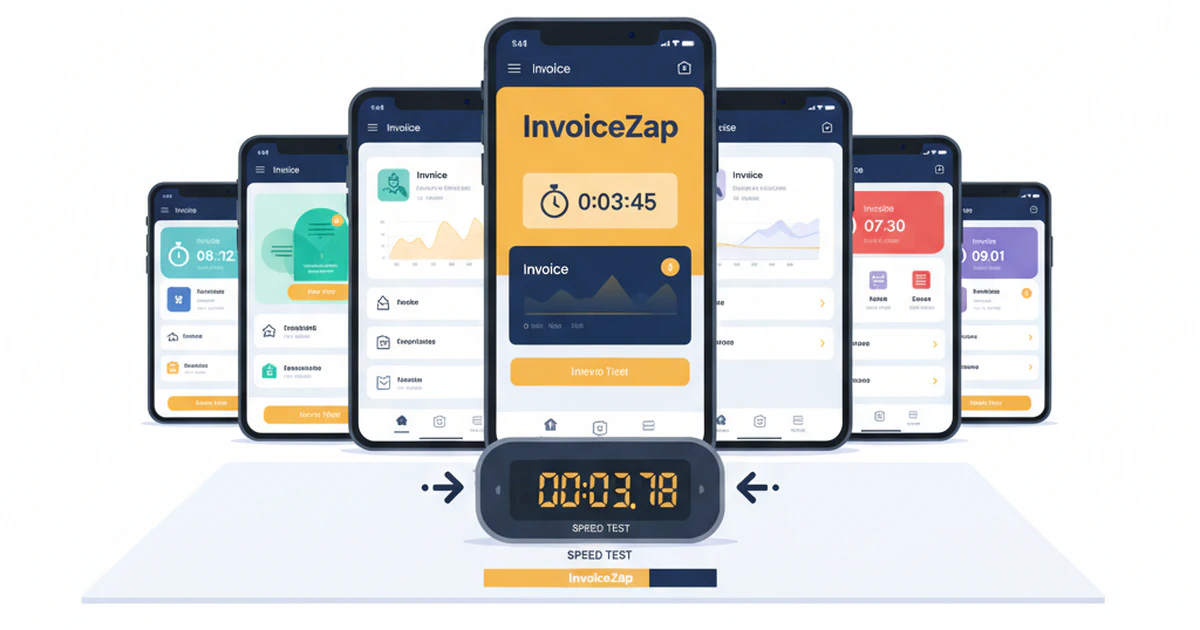
We tested the most popular iPhone invoice apps to find out which ones actually deliver on their promises. We timed real invoice creation, evaluated the learning curve, and compared what you get for your money.
Here’s what we found.
The Speed Test: How We Tested
We created a standard test scenario to ensure a fair comparison:
Test Invoice:
- Existing client (already in the system)
- 3 line items with quantities and prices
- Standard payment terms
- Send via email
What we measured:
- Time from opening the app to sending the invoice
- Number of taps required
- Learning curve for first-time users
Testing device: iPhone 15, iOS 17
The Results: Fastest to Slowest
Overall Speed Rankings
| Rank | App | Time to Send | Taps Required |
|---|---|---|---|
| 1 | InvoiceZap | 28 seconds | 9 taps |
| 2 | Invoice Simple | 45 seconds | 14 taps |
| 3 | Invoice Ninja | 52 seconds | 16 taps |
| 4 | Wave | 1:15 | 18 taps |
| 5 | FreshBooks Mobile | 1:35 | 22 taps |
| 6 | QuickBooks Mobile | 2:10 | 26 taps |
Let’s break down each app.
1. InvoiceZap — Fastest Overall
Speed Test: 28 seconds | 9 taps
InvoiceZap is designed specifically for speed. The app assumes you want to create an invoice quickly and gets out of your way.
What makes it fast:
- Client selection and line items on a single screen
- Pre-saved service items add with one tap
- Minimal required fields
- Send directly from the creation screen
First-time setup: 10 minutes to add your business info, logo, and save common services. After that, invoices genuinely take under 30 seconds.
Strengths:
- Genuinely the fastest invoice creation we tested
- Clean, uncluttered interface
- Native iOS feel—uses standard Apple design patterns
- Works on iPhone, iPad, and Mac with iCloud sync
- 3-day trial with full features
Limitations:
- No built-in payment processing (clients pay via your listed methods)
- Manual payment status tracking
- iOS only (no Android or web version)
Best for: Service professionals who need to invoice on-site, freelancers who value speed over complex features.
Pricing: Subscription-based after 3-day trial
2. Invoice Simple — Solid Middle Ground
Speed Test: 45 seconds | 14 taps
Invoice Simple has been a popular choice for years. The mobile app is reasonably quick, though not quite as streamlined as InvoiceZap.
What works well:
- Template library is genuinely extensive
- Good balance of features and simplicity
- Widely used, so clients are familiar with the format
What slows it down:
- More screens to navigate through
- Template selection adds steps
- Some features buried in menus
Strengths:
- Large template library (200+ templates as they advertise)
- Payment processing integration
- Both iOS and Android
Limitations:
- Free tier is limited (watermarks on invoices)
- Can feel cluttered on smaller iPhone screens
- Some features require premium
Best for: Freelancers who want template variety and don’t mind a slightly longer workflow.
Pricing: Free with limitations, Premium subscription for full features
3. Invoice Ninja — Feature-Rich Open Source
Speed Test: 52 seconds | 16 taps
Invoice Ninja is interesting—it’s open source with a robust mobile app. There’s more here than basic invoicing.
What works well:
- Self-hosted option for privacy-conscious users
- Powerful automation features
- Time tracking integration
What slows it down:
- More complex interface
- Some features require web dashboard to configure
- Steeper learning curve
Strengths:
- Open source with transparency
- Full-featured beyond basic invoicing
- Project and task management built in
- Payment gateway integrations
Limitations:
- Complexity can be overwhelming for simple needs
- Mobile app depends on web backend
- Not as polished as native iOS apps
Best for: Power users who want project management + invoicing in one tool.
Pricing: Free tier available, paid plans for advanced features
4. Wave — Free But Slower
Speed Test: 1:15 | 18 taps
Wave is legitimately free for invoicing—no hidden catches. But that comes with trade-offs in speed and mobile experience.
What works well:
- Truly free invoicing with no limits
- Full accounting integration
- Good for tracking business finances overall
What slows it down:
- Mobile app is secondary to web platform
- More taps to navigate
- Some features push you to the web version
Strengths:
- Genuinely free invoicing
- Full accounting software included
- Payment processing available
- Bank connections for expense tracking
Limitations:
- Mobile app feels like a web app port
- Slower invoice creation
- Heavy for users who just need invoicing
Best for: Freelancers who want free invoicing + basic accounting and don’t mind slower mobile experience.
Pricing: Free for invoicing, fees for payment processing
5. FreshBooks Mobile — Accounting-First
Speed Test: 1:35 | 22 taps
FreshBooks is a respected accounting platform. The mobile app is decent but clearly designed as a companion to the desktop version.
What works well:
- Comprehensive business management
- Time tracking that flows to invoices
- Client portal for viewing/paying
What slows it down:
- Full accounting features mean more navigation
- Not optimized for quick mobile invoicing
- Some features require desktop
Strengths:
- Full accounting software
- Time tracking integration
- Excellent client experience
- Strong reporting
Limitations:
- Overkill if you just need invoicing
- Higher price point
- Mobile app secondary to web
- Significant learning curve
Best for: Businesses that need full accounting, not just invoicing.
Pricing: Starts at $19/month, multiple tiers
6. QuickBooks Mobile — Enterprise in Your Pocket
Speed Test: 2:10 | 26 taps
QuickBooks is the default for many accountants, which means freelancers often feel they “should” use it. For mobile invoicing? It’s slow.
What works well:
- Your accountant already knows it
- Comprehensive business management
- Integrates with everything
What slows it down:
- Desktop software adapted for mobile
- Many screens and options to navigate
- Full accounting complexity
Strengths:
- Industry standard for accountants
- Massive ecosystem of integrations
- Full financial management
- Payroll, taxes, everything
Limitations:
- Significant overkill for invoicing
- Expensive for what freelancers typically need
- Mobile app is clunky
- Steep learning curve
Best for: Businesses with complex accounting needs who already use QuickBooks.
Pricing: Starts at $30/month for Self-Employed tier
Feature Comparison Matrix
| Feature | InvoiceZap | Invoice Simple | Invoice Ninja | Wave | FreshBooks | QuickBooks |
|---|---|---|---|---|---|---|
| Invoice Speed | ⭐⭐⭐⭐⭐ | ⭐⭐⭐⭐ | ⭐⭐⭐ | ⭐⭐⭐ | ⭐⭐ | ⭐⭐ |
| Mobile Experience | ⭐⭐⭐⭐⭐ | ⭐⭐⭐⭐ | ⭐⭐⭐ | ⭐⭐⭐ | ⭐⭐⭐ | ⭐⭐ |
| Learning Curve | Easy | Easy | Medium | Easy | Medium | Hard |
| Payment Processing | ❌ | ✅ | ✅ | ✅ | ✅ | ✅ |
| Accounting | ❌ | ❌ | Basic | ✅ | ✅ | ✅ |
| Estimates | ✅ | ✅ | ✅ | ✅ | ✅ | ✅ |
| iOS Native | ✅ | Partial | Partial | Partial | Partial | Partial |
| Offline Mode | ✅ | ✅ | ❌ | ❌ | Partial | Partial |
| Free Trial | 3 days | Limited | Yes | Free | 30 days | 30 days |
What Actually Matters for Mobile Invoicing
After testing all these apps, here’s what separates good mobile invoicing from frustrating mobile invoicing:
1. Native iOS Design
Apps built specifically for iPhone feel faster and more intuitive. Apps that are web wrappers or cross-platform ports always feel slightly off—slightly slower, slightly more taps, slightly more friction.
2. Minimal Required Fields
The fewer fields you must fill in, the faster you invoice. The best apps make most fields optional or remember your defaults.
3. Saved Items
Being able to add “Website Design - $2,500” with one tap vs. typing it every time is the difference between 30 seconds and 2 minutes.
4. Client Memory
Apps that remember client details (and suggest them) save significant time over apps that make you look up or re-enter information.
5. Direct Send
Being able to send directly from the creation screen vs. navigating to a separate “send” function adds unnecessary steps.
The Pricing Reality
| App | True Monthly Cost | What You Actually Get |
|---|---|---|
| InvoiceZap | Subscription | Invoice creation, estimates, client management |
| Invoice Simple | $0-15/mo | Invoicing, templates, payment processing |
| Invoice Ninja | $0-12/mo | Invoicing, projects, time tracking |
| Wave | Free | Invoicing, accounting (payment fees apply) |
| FreshBooks | $19-60/mo | Full accounting suite |
| QuickBooks | $30-200/mo | Complete business management |
The insight: If you need invoicing—not accounting—paying for QuickBooks or FreshBooks is like buying a commercial kitchen when you need a toaster.
Who Should Use What
Choose InvoiceZap if:
- Speed is your priority
- You invoice on-site or between clients
- You want iPhone-native experience
- You don’t need payment processing (clients pay via Venmo, check, etc.)
- You prefer simple over feature-heavy
Choose Invoice Simple if:
- You want integrated payment processing
- Template variety matters to you
- You’re on both iOS and Android
Choose Invoice Ninja if:
- You want project management + invoicing
- Open source matters to you
- You’re comfortable with more complexity
Choose Wave if:
- Free is essential (you’re just starting out)
- You want basic accounting included
- Mobile speed isn’t critical
Choose FreshBooks if:
- You need full accounting
- Time tracking that flows to invoices matters
- You’re willing to pay for polish
Choose QuickBooks if:
- Your accountant requires it
- You have complex business finances
- You need payroll and tax features
The Bottom Line
For pure mobile invoicing speed, nothing we tested beats InvoiceZap. If you’re a service professional who needs to invoice clients on the spot—a contractor finishing a job, a consultant after a meeting, a freelancer completing a project—the 28-second invoice creation makes a real difference.
If you need full accounting software, FreshBooks and QuickBooks are excellent choices. But understand you’re paying for—and navigating through—features you may not need just to send an invoice.
Want to try the fastest iPhone invoice app? InvoiceZap offers a 3-day free trial with full features. See if 30-second invoices work for how you run your business.
Testing methodology: All tests performed January 2026 on iPhone 15 running iOS 17. Times represent average of 3 timed tests per app after initial setup. Your experience may vary based on device and individual usage patterns.
Ready to Streamline Your Invoicing?
Create professional invoices in 30 seconds with InvoiceZap's mobile-first design. No sign-up required.
Try InvoiceZap FreeTags: