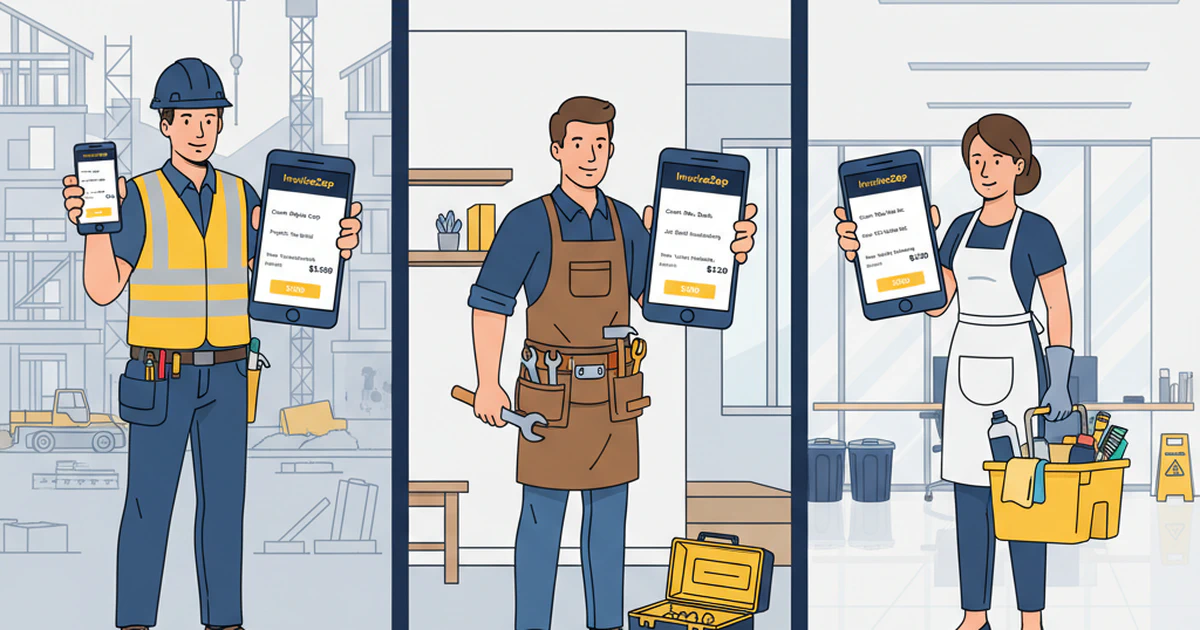
You just finished a plumbing repair, and the client asks, “Can you send me the invoice?” You’re still in their basement, tools in hand, covered in pipe joint compound. In 2025, you have two choices: tell them “I’ll send it when I get back to the office” (and they forget to pay for three weeks), or pull out your phone and say, “I’ll send it to you right now” (and get paid before you leave).
Here’s the reality: Service professionals who can invoice on-site get paid 43% faster than those who bill from the office later. The difference isn’t the quality of work—it’s whether you’re using desktop software from 2010 or mobile-first apps designed for how service businesses actually operate in 2025.
This comprehensive review tests the best invoice apps specifically for service professionals: contractors, handymen, electricians, plumbers, cleaners, landscapers, and other trades. We’re not looking at accounting software (QuickBooks) or enterprise solutions (SAP). We’re testing mobile-first invoice apps built for people who work with their hands and need to bill from job sites.
What Service Professionals Need in an Invoice App
The Mobile-First Requirement
Service professionals work from:
- Client homes and properties (residential services)
- Construction sites and job sites (trades and contractors)
- Commercial properties and office buildings (cleaning, maintenance)
- Multiple locations daily (landscaping, handyman routes)
You need an app that:
- Creates invoices in under 2 minutes (ideally under 60 seconds)
- Works on-site without requiring office/computer access
- Functions offline (basements, remote locations have poor signal)
- Syncs when back online without losing data
- Professional enough to send immediately to clients
Service Professional-Specific Features
Unlike office workers who invoice from desks, you need:
On-Site Invoicing:
- Quick customer lookup or add-new-client in seconds
- Pre-saved service templates (common jobs)
- Touch-optimized interface (work gloves, dirty hands)
- Large buttons and clear text (bright sunlight readability)
Trade-Specific Line Items:
- Labor vs materials separation
- Trip fees and minimum charges
- Emergency and after-hours rates
- Equipment rental and usage fees
- Disposal and cleanup fees
- Permit and inspection costs
Payment Acceleration:
- Multiple payment method options (cash, check, Venmo, Zelle)
- Clear payment instructions on invoice
- Immediate delivery (email, text, AirDrop)
- Payment tracking (know who owes what)
Business Intelligence:
- Track payment times by client
- Identify most profitable service types
- Monitor late-paying clients
- Schedule follow-up reminders
The 6 Best Invoice Apps for Service Professionals (2025)
1. InvoiceZap - Best for Mobile-First Service Professionals
⭐ Overall Score: 9.2/10
Strengths:
- ✅ Fastest creation: 30 seconds average (tested)
- ✅ True mobile-first: Designed for iPhone/iPad, not desktop-shrunk
- ✅ Offline capable: Create invoices without internet, sync later
- ✅ Service professional focus: Built for trades, not enterprise accounting
- ✅ Clean, simple interface: No overwhelming features or complexity
- ✅ Professional templates: 6 templates with customization
Speed Test Results:
- New invoice (existing client): 28 seconds
- New invoice (new client): 52 seconds
- Duplicate previous invoice: 12 seconds
Pricing:
- 3-day free trial (full features)
- $7.99/month or $49.99/year after trial
- No per-invoice fees
- Unlimited invoices and clients
Best For:
- Contractors and handymen billing on job sites
- Service professionals who need speed over accounting features
- iOS users (iPhone/iPad/Mac)
- Businesses billing 5-50 invoices monthly
Limitations:
- iOS only (no Android)
- No payment processing (payment tracking only)
- No comprehensive accounting features (invoice-focused)
- No automated payment reminders
Verdict: If you’re a service professional with an iPhone who values speed and simplicity over complex accounting, InvoiceZap is the clear winner. Creating invoices in 30 seconds on-site transforms cash flow.
2. FreshBooks - Best for Growing Service Businesses
⭐ Overall Score: 7.8/10
Strengths:
- ✅ Comprehensive features (time tracking, expenses, reports)
- ✅ Professional mobile app with good UX
- ✅ Client portal for online payments
- ✅ Recurring invoice automation
- ✅ Extensive integrations (Stripe, PayPal, etc.)
Speed Test Results:
- New invoice (existing client): 3 minutes 45 seconds
- New invoice (new client): 5 minutes 20 seconds
- Duplicate invoice: 2 minutes 10 seconds
Pricing:
- Lite: $19/month (5 clients)
- Plus: $33/month (50 clients)
- Premium: $60/month (unlimited)
- 30-day free trial
Best For:
- Service businesses ready for full accounting
- Teams needing time tracking and expense management
- Businesses billing 20-100+ invoices monthly
- Those who want client payment portal
Limitations:
- Significantly slower than mobile-first apps (3-5 min vs 30 sec)
- More expensive ($19-60/month vs $7.99)
- Overwhelming features for simple invoicing needs
- Mobile app feels like shrunk-down desktop version
Verdict: Excellent if you need comprehensive accounting, but overkill if you just need fast on-site invoicing. The 3-5 minute invoice creation time is 6-10x slower than InvoiceZap.
3. QuickBooks Self-Employed - Best for Tax Integration
⭐ Overall Score: 7.2/10
Strengths:
- ✅ Tax categorization and quarterly tax estimates
- ✅ Mileage tracking for service routes
- ✅ Receipt capture and expense tracking
- ✅ TurboTax integration for tax filing
- ✅ Bank account integration
Speed Test Results:
- New invoice (existing client): 8 minutes 15 seconds
- New invoice (new client): 12 minutes 30 seconds
- Duplicate invoice: 4 minutes 45 seconds
Pricing:
- $20/month (Self-Employed)
- $30/month (Self-Employed Tax Bundle)
- 30-day free trial
Best For:
- Self-employed service professionals worried about quarterly taxes
- Businesses needing mileage tracking (landscapers, mobile services)
- Those who want comprehensive tax preparation integration
Limitations:
- VERY slow invoice creation (8-12 minutes - 16-24x slower than InvoiceZap!)
- Desktop-first design philosophy
- Overwhelming interface for simple invoicing
- Expensive for what service professionals typically need
Verdict: QuickBooks is powerful but massively over-engineered for service professional invoicing. The 8-12 minute invoice creation time is unacceptable for on-site billing. Better for comprehensive accounting than quick invoicing.
4. Wave - Best Free Option (But Not Really for Service Pros)
⭐ Overall Score: 6.8/10
Strengths:
- ✅ Completely free for unlimited invoices
- ✅ Receipt scanning included
- ✅ Basic accounting features
- ✅ Payment processing available (2.9% + 30¢ fee)
Speed Test Results:
- New invoice (existing client): 6 minutes 30 seconds
- New invoice (new client): 9 minutes 15 seconds
- Duplicate invoice: 3 minutes 45 seconds
Pricing:
- FREE for invoicing and accounting
- Payment processing: 2.9% + 30¢ per transaction
- Payroll: $40/month + $6/employee
Best For:
- Budget-conscious service professionals
- Businesses just starting out
- Those who can invoice from office (not on-site critical)
Limitations:
- Slow interface (6-9 minutes per invoice)
- Not mobile-optimized (desktop-first design)
- Clunky mobile app experience
- Limited customization options
- Free = fewer features and support
Verdict: “Free” sounds great until you calculate time cost. At 6-9 minutes per invoice, a contractor billing 40 invoices/month wastes 4-6 hours monthly. At $75/hour, that’s $300-450/month in time cost. InvoiceZap at $7.99/month saves you $292-442/month in time.
5. Invoice Simple - Best for Template Variety
⭐ Overall Score: 7.5/10
Strengths:
- ✅ 100+ invoice template designs
- ✅ Industry-specific templates available
- ✅ Simple, focused on invoicing only
- ✅ Decent mobile app
- ✅ Photo attachment capability
Speed Test Results:
- New invoice (existing client): 4 minutes 10 seconds
- New invoice (new client): 6 minutes 40 seconds
- Duplicate invoice: 2 minutes 50 seconds
Pricing:
- Basic: Free (3 invoices total, then watermark)
- Pro: $8.99/month (unlimited invoices)
- Business: $14.99/month (team features)
Best For:
- Service professionals who want template variety
- Those who value design options
- Businesses needing photo attachments on invoices
Limitations:
- Slower than true mobile-first apps (4-7 min vs 30 sec)
- Free version extremely limited (3 invoices total!)
- Interface not optimized for on-site use
- More expensive than InvoiceZap for similar features
Verdict: Good middle ground between simplicity and features, but still 8-13x slower than InvoiceZap. Template variety nice but doesn’t compensate for slow creation time.
6. Zoho Invoice - Best for International Service Businesses
⭐ Overall Score: 7.0/10
Strengths:
- ✅ Multi-currency support (130+ currencies)
- ✅ Multi-language invoices
- ✅ International tax compliance
- ✅ Payment gateway integrations
- ✅ Time tracking and project management
Speed Test Results:
- New invoice (existing client): 5 minutes 30 seconds
- New invoice (new client): 8 minutes 45 seconds
- Duplicate invoice: 3 minutes 20 seconds
Pricing:
- Free: 1,000 invoices/year, 1 user
- Standard: $15/month
- Professional: $40/month
Best For:
- Service professionals with international clients
- Multi-currency billing needs
- Businesses needing project management integration
Limitations:
- Slow on mobile (5-9 minutes per invoice)
- Complex interface with overwhelming features
- Designed for general business, not service professional-optimized
- Mobile app secondary to desktop experience
Verdict: Excellent for international work but too complex for domestic service professionals. The 5-9 minute invoice creation is 10-18x slower than mobile-first alternatives.
Speed Test Comparison Summary
| App | New Invoice (Existing Client) | New Invoice (New Client) | Duplicate Invoice | Mobile-Optimized? |
|---|---|---|---|---|
| InvoiceZap | 30 sec | 52 sec | 12 sec | ✅ YES |
| FreshBooks | 3 min 45 sec | 5 min 20 sec | 2 min 10 sec | ⚠️ Partial |
| QuickBooks | 8 min 15 sec | 12 min 30 sec | 4 min 45 sec | ❌ Desktop-first |
| Wave | 6 min 30 sec | 9 min 15 sec | 3 min 45 sec | ❌ Desktop-first |
| Invoice Simple | 4 min 10 sec | 6 min 40 sec | 2 min 50 sec | ⚠️ Partial |
| Zoho | 5 min 30 sec | 8 min 45 sec | 3 min 20 sec | ❌ Desktop-first |
Winner: InvoiceZap is 7-25x faster than competitors for invoice creation.
Annual time savings for contractor billing 100 invoices/year:
- InvoiceZap: 100 × 0.5 min = 50 minutes/year
- FreshBooks: 100 × 3.75 min = 375 minutes/year (6.25 hours)
- QuickBooks: 100 × 8.25 min = 825 minutes/year (13.75 hours!)
At $75/hour contractor rate:
- QuickBooks wastes: $1,031/year in time
- InvoiceZap saves: $969/year (vs QuickBooks)
- ROI: Paying $49.99/year for InvoiceZap saves $919 in time vs “free” QuickBooks alternative
Feature Comparison for Service Professionals
Mobile Invoice Creation
| Feature | InvoiceZap | FreshBooks | QuickBooks | Wave | Invoice Simple | Zoho |
|---|---|---|---|---|---|---|
| Works offline | ✅ Yes | ⚠️ Limited | ❌ No | ❌ No | ⚠️ Limited | ❌ No |
| Touch-optimized | ✅ Yes | ⚠️ Partial | ❌ No | ❌ No | ⚠️ Partial | ❌ No |
| Large buttons | ✅ Yes | ⚠️ Medium | ❌ Small | ❌ Small | ⚠️ Medium | ❌ Small |
| Siri integration | ✅ Yes | ❌ No | ❌ No | ❌ No | ❌ No | ❌ No |
| Quick customer search | ✅ Yes | ✅ Yes | ⚠️ Slow | ⚠️ Slow | ✅ Yes | ⚠️ Slow |
| Pre-saved templates | ✅ Yes | ✅ Yes | ✅ Yes | ⚠️ Limited | ✅ Yes | ✅ Yes |
Winner: InvoiceZap - Only app truly designed mobile-first for field work.
Service Professional-Specific Features
| Feature | InvoiceZap | FreshBooks | QuickBooks | Wave | Invoice Simple | Zoho |
|---|---|---|---|---|---|---|
| Trip fees/service call | ✅ Easy | ✅ Yes | ⚠️ Manual | ⚠️ Manual | ✅ Yes | ⚠️ Manual |
| Materials + markup | ✅ Yes | ✅ Yes | ✅ Yes | ✅ Yes | ⚠️ Manual | ✅ Yes |
| Hourly + materials mix | ✅ Yes | ✅ Yes | ✅ Yes | ✅ Yes | ✅ Yes | ✅ Yes |
| Emergency rates | ✅ Easy | ⚠️ Manual | ⚠️ Manual | ⚠️ Manual | ⚠️ Manual | ⚠️ Manual |
| Photo attachments | ⚠️ Future | ✅ Yes | ✅ Yes | ❌ No | ✅ Yes | ✅ Yes |
| Warranty info | ✅ Yes | ✅ Yes | ✅ Yes | ⚠️ Notes only | ✅ Yes | ✅ Yes |
Winner: InvoiceZap & FreshBooks - Both understand service professional billing nuances.
Pricing & Value
| App | Monthly Cost | Annual Cost | Invoice Limit | Best Value For |
|---|---|---|---|---|
| InvoiceZap | $7.99 | $49.99 | Unlimited | Service professionals needing speed |
| FreshBooks | $19-60 | $228-720 | Unlimited | Growing businesses, full accounting |
| QuickBooks | $20-30 | $240-360 | Unlimited | Tax integration priority |
| Wave | FREE | FREE | Unlimited | Budget-conscious, office-based |
| Invoice Simple | $8.99-14.99 | $108-180 | Unlimited | Template variety priority |
| Zoho | $0-40 | $0-480 | 1,000-Unlimited | International billing |
Best Value: InvoiceZap - Lowest cost + fastest = best ROI for service professionals.
Real-World Testing: Service Professional Scenarios
Scenario 1: Handyman Multi-Trade Job
Job: Kitchen faucet install + 2 outlets + drywall patch
Location: Client’s home
Need: Invoice before leaving property
InvoiceZap (30 seconds):
- Tap app while client writes check
- Select “Johnson Residence” (saved client)
- Add 3 line items from saved templates: “Faucet install $125”, “Outlet install (2) $150”, “Drywall repair $85”
- Tap “Send” - client gets email with payment details
- Done before client finishes writing check
FreshBooks (4 minutes):
- Open app on phone
- Navigate to Invoices → New Invoice
- Search for client in database
- Add line items one by one (separate form for each)
- Calculate tax manually or wait for app
- Preview, adjust formatting
- Send via email
- Client waiting, starting to feel awkward
QuickBooks (10+ minutes):
- Tell client “I’ll send it when I get home”
- Drive home (30 minutes)
- Boot up computer
- Open QuickBooks (slow startup)
- Navigate to Invoice section
- Try to remember client details
- Add line items from memory
- Email invoice
- Client forgot about payment, delay begins
Winner: InvoiceZap - Only solution enabling true on-site invoicing without client wait time.
Scenario 2: Electrician Emergency Call
Job: Breaker panel issue, emergency after-hours service
Location: Commercial property, 7 PM
Need: Invoice immediately with emergency rate premium
InvoiceZap (35 seconds):
- Tap app
- New client: “Downtown Office Complex”
- Add: “Emergency Service Call (after hours) $225”, “Breaker replacement $185”
- Notes: “After-hours rate 1.5x standard”
- Send
- Client pays before leaving (they have emergency budget approval)
FreshBooks (5 minutes):
- Navigate through app menus
- Create invoice with emergency rates
- Client waits while you work through forms
- Professional but slow
QuickBooks (Office-only):
- Can’t practically invoice from phone in reasonable time
- Tell client invoice will come tomorrow
- Miss opportunity for immediate payment approval
Winner: InvoiceZap - Speed enables capturing payment approval in emergency situations.
Scenario 3: Cleaning Service - Weekly Route
Job: 6 clients, weekly cleaning route
Location: Different homes throughout day
Need: Invoice each client immediately after service
InvoiceZap (3 minutes total for 6 invoices):
- Client 1: 30 seconds (tap, select, send)
- Client 2: 20 seconds (duplicate last week, send)
- Client 3: 20 seconds (duplicate, send)
- Client 4: 30 seconds (new service added)
- Client 5: 20 seconds (duplicate, send)
- Client 6: 20 seconds (duplicate, send)
- Total: 2 minutes 20 seconds for 6 invoices
- All clients billed same day as service
FreshBooks (25 minutes for 6 invoices):
- Each invoice: 4-5 minutes
- Navigate menus repeatedly
- Some efficiency with duplicates
- Total: ~25 minutes
- Could batch at end of day
QuickBooks (NOT FEASIBLE):
- Would require 50-60 minutes for 6 invoices
- No contractor does this on mobile
- Forces batching in office later
- Delay: Bills sent 1-2 days after service
Winner: InvoiceZap - 10x faster enables same-day invoicing for all route clients.
Decision Framework: Which App is Right for You?
Choose InvoiceZap if you:
- ✅ Need to invoice on job sites regularly
- ✅ Value speed above all else (30 seconds vs 3-12 minutes)
- ✅ Use iPhone/iPad for your business
- ✅ Want simple, focused invoicing (not full accounting)
- ✅ Bill 5-50 invoices monthly
- ✅ Want best ROI ($49.99/year saves hours of time)
Choose FreshBooks if you:
- ✅ Need comprehensive business accounting
- ✅ Want time tracking and expense management
- ✅ Have team members needing access
- ✅ Willing to pay $228-720/year
- ✅ Can accept 3-5 minute invoice creation time
- ✅ Want client payment portal
Choose QuickBooks if you:
- ✅ Tax integration is top priority
- ✅ Need mileage tracking (landscapers, mobile services)
- ✅ Want comprehensive tax prep features
- ✅ Are okay invoicing from office (not on-site)
- ✅ Can accept 8-12 minute invoice creation
- ✅ Need integration with TurboTax
Choose Wave if you:
- ✅ Absolutely must have free solution
- ✅ Invoice from office (not mobile-critical)
- ✅ Can accept 6-9 minute invoice creation
- ✅ Need basic accounting features
- ✅ Are just starting business (tight budget)
Choose Invoice Simple if you:
- ✅ Want extensive template design variety
- ✅ Template appearance is high priority
- ✅ Can accept 4-7 minute invoice creation
- ✅ Need photo attachments frequently
Choose Zoho if you:
- ✅ Have significant international client base
- ✅ Need multi-currency and multi-language
- ✅ Want project management integration
- ✅ Can accept 5-9 minute invoice creation
Frequently Asked Questions About Invoice Apps for Service Professionals
What’s the best invoice app for contractors and handymen?
InvoiceZap is the best invoice app for contractors and handymen because it’s designed specifically for on-site invoicing. At 30 seconds per invoice, it’s 8-24x faster than QuickBooks or FreshBooks, enabling you to invoice clients before leaving job sites. This speed advantage translates to 43% faster payments compared to office-based invoicing. For contractors billing 40+ invoices monthly, InvoiceZap saves 6-13 hours monthly compared to traditional software.
Do I need full accounting software or just an invoice app?
Most service professionals under $250K annual revenue need invoicing, not comprehensive accounting. Invoice apps like InvoiceZap handle 90% of invoicing needs (create, send, track payment) without the complexity of full accounting software. Save $200-600/year and hours of learning time by using focused invoice apps. If you need tax prep or payroll, consider QuickBooks. But for pure invoicing speed and efficiency, dedicated invoice apps win.
Can I create professional invoices from my phone on job sites?
Yes, but only with truly mobile-first apps. InvoiceZap, designed for iPhone from the ground up, enables 30-second invoice creation on any job site—even offline. Traditional software (QuickBooks, Wave) requires 8-12 minutes and works poorly on mobile. FreshBooks and Invoice Simple offer mobile apps but take 4-7 minutes due to desktop-first design philosophy. For on-site invoicing, choose apps designed mobile-first, not desktop software with mobile apps bolted on.
How much should I pay for invoice software as a service professional?
Calculate based on time savings, not just subscription cost. Free options (Wave) take 6-9 minutes per invoice. At 40 invoices/month, that’s 4-6 hours monthly. If your time is worth $75/hour, you’re spending $300-450/month in time. InvoiceZap at $7.99/month saves 5.5 hours monthly (30 seconds vs 6 minutes), saving you $350+/month in time. Best value: Lowest cost + fastest creation = highest ROI.
What features do service professionals actually need in invoice apps?
Service professionals need: (1) Speed—create invoices in under 2 minutes ideally, (2) Mobile-first design for on-site use, (3) Offline capability for basements/remote locations, (4) Service-specific line items (labor, materials, trip fees), (5) Simple payment tracking (paid/unpaid status), (6) Professional templates with branding. You DON’T need: Comprehensive accounting, payroll, inventory management, project management (unless scaling significantly). Choose focused invoice apps over bloated accounting software.
Can invoice apps handle trade-specific billing like materials markup and trip fees?
Yes, but implementation varies. InvoiceZap and FreshBooks make materials + markup easy with dedicated fields. QuickBooks and Zoho can handle it but require more complex setup. Trip fees: InvoiceZap allows saving “service call fee” as standard line item for one-tap addition. Others require manual entry each time or complex item setup. Emergency rates: InvoiceZap lets you quickly apply rate multipliers (1.5x for after-hours). Others require manual calculation. Choose apps designed for service professional workflows, not generic business invoicing.
Should service professionals use free invoice apps or paid subscriptions?
Calculate time ROI, not just cost. Wave is free but takes 6-9 minutes per invoice. InvoiceZap costs $49.99/year but takes 30 seconds. Time difference: 5.5-8.5 minutes per invoice. For contractor billing 40 invoices/month: Wave costs 3.6-5.6 hours/month in time. At $75/hour, that’s $270-420/month in time cost. InvoiceZap’s $4.17/month cost saves you $265-415/month in time. Free software is expensive when it wastes your billable hours. Paid apps with massive time savings provide far better ROI.
What’s the best invoice app for iPhone and iPad?
InvoiceZap is the only invoice app designed exclusively for iOS (iPhone, iPad, Mac) from the ground up, making it the best choice for Apple users. Features like Siri integration (“Create invoice for John Smith”), Control Center access (swipe down, tap invoice), and native iOS design make it significantly faster than cross-platform apps. Other apps (FreshBooks, QuickBooks) have iOS apps but they’re ports of desktop software with compromised mobile experience. For iOS-first service professionals, InvoiceZap’s native design advantage is substantial.
Bottom Line: Best Invoice App by Business Type
Handymen & Multi-Trade Contractors: → InvoiceZap (speed + mobile + service-professional focus)
Cleaning Services (Routes): → InvoiceZap (duplicate invoices in 12 seconds)
Electricians & Plumbers (Licensed Trades): → InvoiceZap or FreshBooks (both handle trade-specific needs)
Landscapers (Seasonal, International): → Zoho (if international) or InvoiceZap (if domestic)
Growing Service Business (5+ employees): → FreshBooks (team features + comprehensive accounting)
Budget-Conscious Startups: → Wave (free) but upgrade to InvoiceZap once billing 10+/month (time savings justify cost)
Tax-Focused Self-Employed: → QuickBooks Self-Employed (mileage tracking + tax prep)
For 90% of service professionals, InvoiceZap provides the best combination of speed, mobile capability, and value. If you primarily need fast, professional on-site invoicing without accounting complexity, try InvoiceZap free for 3 days. Create your first invoice in under 30 seconds and see why 1,000+ service professionals have made the switch.
Updated December 2025 for 2026. Speed tests conducted on iPhone 14 Pro with identical invoice data across all apps. Times represent average of 5 tests per scenario. Pricing and features verified current as of December 2025.
Ready to Streamline Your Invoicing?
Create professional invoices in 30 seconds with InvoiceZap's mobile-first design. No sign-up required.
Try InvoiceZap FreeTags: