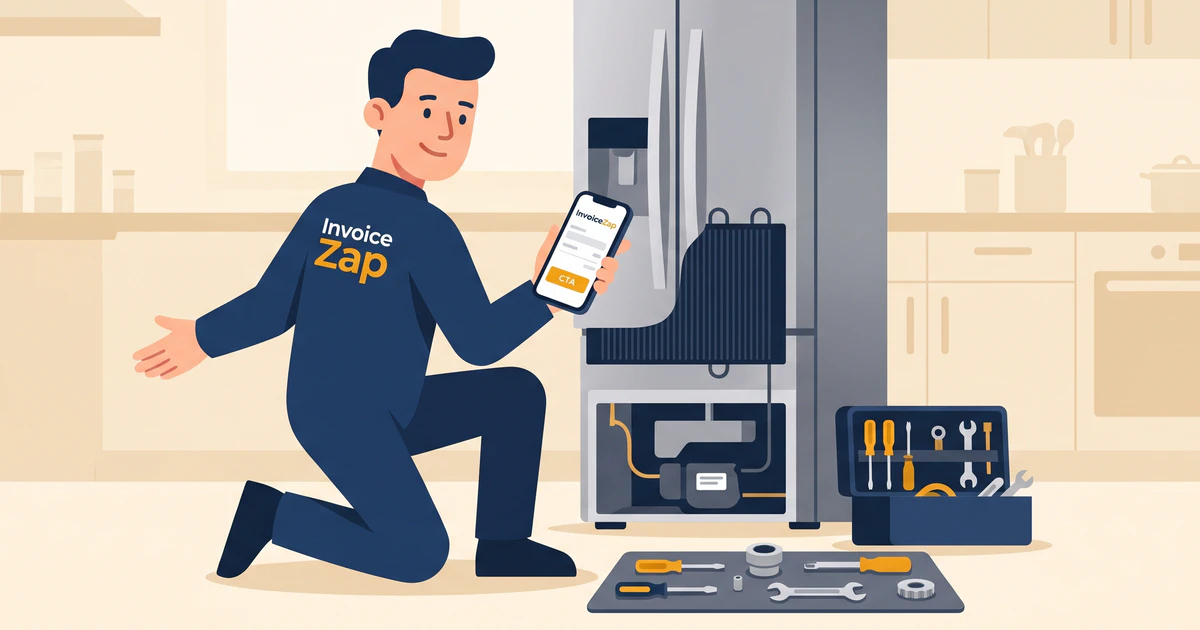
You arrive at a customer’s home. You accurately diagnose the washing machine issue, replace the worn drive belt, and get everything running smoothly again. The customer is thrilled—until you hand them a scribbled receipt torn from a carbon-copy pad. Suddenly, the transaction feels less professional, and explaining the diagnostic fee versus the labor rate becomes a confusing conversation.
Many appliance repair technicians find themselves losing money on service calls simply because their invoices don’t clearly break down what the customer is actually paying for. When parts, labor, and diagnostic trips are lumped together, customers tend to question the final total.
A professional appliance repair invoice template solves this problem by providing complete transparency. It protects your trip fees, clearly separates taxable parts from non-taxable labor (depending on your local jurisdiction), and leaves the customer with a documented guarantee of your work.
The Problem with Generic Invoices in Appliance Repair
Most off-the-shelf templates fail appliance repair professionals for one primary reason: they don’t account for the two-step nature of the job.
You don’t just show up and start fixing things. First, you diagnose. Often, you might diagnose a problem, order a part, and return three days later to install it. If your invoice doesn’t reflect this workflow, you risk disputes over return trip fees or diagnostic charges.
Customers typically don’t understand the cost of OEM parts versus aftermarket alternatives, or why a fifteen-minute repair costs what it does after a forty-five-minute diagnosis. A well-structured invoice does the explaining for you, acting as a clear, professional record that justifies your expertise and pricing.
For more insights on handling client communications around pricing, see our guide on how to write professional estimates.
What Every Appliance Repair Invoice Must Include
To protect your margins and ensure customers understand the value of your service, your appliance repair invoice template should incorporate these specific elements.
1. The Diagnostic or Service Call Fee
This is the most contested charge in the industry. Your invoice must clearly state the initial diagnostic fee. Some businesses waive this fee if the customer proceeds with the repair, while others keep it separate. Whichever model you use, it must be explicitly documented as a standalone line item.
2. Detailed Appliance Information
Never just write “fixed fridge.” You need to document exactly what you worked on.
- Brand and Model Number: Crucial for warranty claims and future service.
- Serial Number: Proves exactly which unit was serviced.
- Date of Manufacture (if available/relevant).
- Complaint Description: What the customer reported (e.g., “Ice maker not dropping ice”).
3. Clear Separation of Parts and Labor
Lumping parts and labor together is a recipe for customer pushback.
- Parts: List the exact part numbers, descriptions, and the quantity. If you provide a warranty on the part, note it here.
- Labor: Document your hourly rate or the flat-rate job code.
Separating these isn’t just about transparency; it’s often a legal requirement for sales tax collection, as many states tax physical parts but do not tax repair labor.
4. Warranty and Guarantee Terms
Customers want peace of mind. Your invoice should clearly state your policy on the work performed. For example: “90-day guarantee on labor; manufacturer warranty applies to all installed parts.” Having this in writing on the final invoice prevents “he said, she said” arguments six months down the line.
Appliance Repair Invoice Template Structure
Here is a breakdown of how to structure your template for maximum clarity.
Header Information
- Your Company Name and Logo
- Your License/Certification Numbers (e.g., EPA certification for handling refrigerants)
- Business Contact Information
- Invoice Number (e.g., INV-2026-084)
- Service Date and Invoice Date
Customer Details
- Customer Name
- Service Address (often different from billing address for landlords/property managers)
- Contact Number and Email
Equipment Serviced
- Appliance: Whirlpool Refrigerator
- Model #: WRX735SDHZ
- Serial #: K83492104
The Breakdown (Line Items)
| Item / Description | QTY | Unit Price | Total |
|---|---|---|---|
| Initial Diagnostic / Service Call | 1 | $85.00 | $85.00 |
| OEM Defrost Heater Assembly (Part #W10827051) | 1 | $65.00 | $65.00 |
| Labor (Flat Rate - Defrost System Repair) | 1 | $120.00 | $120.00 |
Subtotal: $270.00 Tax (on parts only): $5.20 Total Due: $275.20
Payment Terms and Instructions
Specify exactly how and when you expect to be paid. Since most appliance repair is “Due Upon Receipt” at the end of the service call, state this clearly. Include instructions for your preferred payment methods (e.g., “We accept checks, Zelle, or bank transfer”).
If you struggle with clients delaying payment, read our tips on getting clients to pay invoices.
Handling Parts Markups and Taxes
One of the complexities of appliance repair billing is the markup on parts. Your customers can easily look up the wholesale cost of a water inlet valve online.
Your invoice template doesn’t need to show your markup—it should show the retail price you are charging the customer. The retail price covers the cost of the part, the time you spent sourcing it, shipping, and the inventory carrying cost. Keep your line items clean and simply list the final price for the part.
Additionally, properly configuring your template to separate taxable items (usually parts) from non-taxable items (often labor) saves you massive headaches at tax time. For a deeper dive into organizing your records, check out our tax season prep guide.
The Transition: From Paper Templates to Mobile Invoicing
You can certainly use a Word or Excel template to generate your appliance repair invoices. For technicians who only do a few jobs a week, creating a PDF at home and emailing it later works fine.
However, downloading free templates and filling them out manually becomes a bottleneck when you are running four to six service calls a day. Writing down part numbers on a clipboard, driving home, typing them into a template, and emailing the customer adds hours of unpaid administrative work to your week.
Modern invoice apps like InvoiceZap make this process automatic and entirely mobile. Instead of waiting until you get home, you can generate a professional, itemized PDF right in the customer’s kitchen.
Implementation: Creating Invoices On-Site
The fastest way to get paid is to hand the customer the invoice the moment the appliance is humming again.
Here is how this workflow looks in practice using InvoiceZap’s template system:
- Before the Repair: You finish your diagnostic and determine a control board needs replacing. You open the app and instantly create a draft invoice with the $85 diagnostic fee and the quoted price for the board and labor. You can show the customer the digital estimate right on your screen.
- During the Repair: If you uncover additional issues—like a damaged wiring harness—you simply add a new line item to the draft invoice.
- After the Repair: With a few taps, you finalize the document. You hit send, and the customer receives a highly professional PDF via email or text message before you even pack up your tool bag.
Because InvoiceZap allows you to save common line items, you don’t have to type out “Service Call Fee” or “Standard Labor Rate” ever again. You just tap and add.
For a complete look at industry-specific billing resources, visit our dedicated Appliance Repair Invoice Templates page.
Conclusion
Your invoice is the final interaction you have with your customer after fixing their appliance. A clean, detailed, and professional document reinforces the quality of your work and justifies your rates. While paper forms and desktop templates get the job done eventually, they slow down your cash flow and eat into your evening hours.
Ready to stop wrestling with paperwork at the end of a long day of repairs? Try InvoiceZap free on your iPhone, iPad, or Mac. Create professional appliance repair invoices in 30 seconds, directly from the job site.
Ready to Streamline Your Invoicing?
Create professional invoices in 30 seconds with InvoiceZap's mobile-first design. No sign-up required.
Try InvoiceZap FreeTags: